
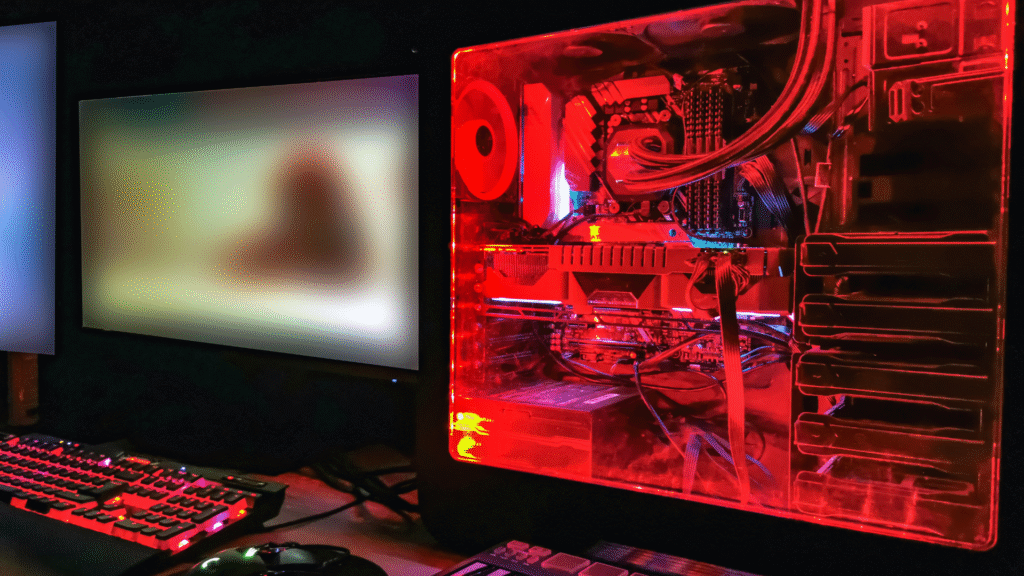
Building a custom gaming PC on a budget might seem daunting, but it is entirely achievable with the right approach. Determining the essential components that provide the best performance without overspending is key to a successful build. Gamers can enjoy high-quality experiences by focusing on specific parts while staying within their financial limits.
Researching current hardware trends and understanding compatibility will help in making informed choices. It’s crucial to differentiate between needs and wants, ensuring that the budget is allocated efficiently across components like the CPU, GPU, and RAM. Many budget-friendly options provide excellent performance for gaming without sacrificing quality.
Additionally, considering used or refurbished parts can lead to significant savings. Emphasizing value rather than brand loyalty allows for smarter purchasing decisions. By carefully planning and prioritizing the right components, anyone can build a gaming PC that delivers great results without breaking the bank.
Planning Your Budget Gaming PC
Creating a budget gaming PC requires careful planning to maximize performance without overspending. Key considerations include setting a realistic budget, identifying essential components, and choosing the right platform.
Setting a Realistic Budget
When starting a budget for a gaming PC, it is crucial to assess both needs and limitations. A common budget for an effective gaming build is around $500.
This amount allows for a decent balance of components, enabling smooth gaming experiences on moderate settings. It’s essential to factor in not just hardware costs, but also future upgrades and peripheral needs.
Setting aside a small buffer for unanticipated expenses can prevent last-minute adjustments. Use tools like price tracking websites to monitor component discounts and plan purchases strategically.
Identifying Essential Components
Budget gaming PCs rely on key components that offer the best performance per dollar. The main parts to prioritize include the CPU, GPU, motherboard, RAM, and storage.
For a $500 budget, aim for a reliable CPU like AMD’s Ryzen 3 or Intel’s Core i3.
Pair this with a mid-range GPU such as the GTX 1650 or Radeon RX 550, as they provide good gaming performance at lower resolutions.
At least 8GB of RAM is advisable, and opting for an SSD over a traditional hard drive can enhance loading times dramatically. Components like the power supply and case should not be overlooked for long-term stability.
Choosing the Right Platform (AMD vs Intel)
When selecting a platform for a budget gaming PC, both AMD and Intel have their merits. AMD typically offers better price-to-performance ratios, especially in the entry-level segment.
Their Ryzen processors deliver solid multi-core performance, which is beneficial for gaming and multitasking.
Conversely, Intel offers strong single-core performance, often resulting in better frame rates for certain games.
Ultimately, the choice may depend on current market prices, as these fluctuate. Buyers should also consider the availability of compatible motherboards, as this can affect long-term costs.
By carefully weighing the pros and cons, they can decide which platform aligns best with their gaming needs and budget constraints.
Selecting Cost-Effective Hardware Components
Building a gaming PC on a budget requires careful consideration of hardware components. Cost-effective choices will ensure good performance without overspending. Focusing on essential parts will lead to a balanced and functional build.
Picking the Best CPU for Your Budget
The CPU is the heart of the system, influencing overall performance. For budget builds, AMD Ryzen and Intel Core i3 or i5 processors offer excellent value. Ryzen 5 5600G and Intel Core i3-12100 are strong contenders with good price-to-performance ratios.
Consider the number of cores and threads. More cores can benefit multitasking and gaming. Verify compatibility with chosen motherboards using CPU benchmarks to ensure optimum pairing.
Tip: Check for discounts during sales events for potential savings. A well-chosen CPU can enhance gaming experiences without breaking the bank.
Selecting a Discrete GPU for 1080p Gaming
Graphics performance is crucial for gaming. For 1080p gaming, a discrete GPU provides the necessary power. NVIDIA GeForce GTX 1660 Super and AMD Radeon RX 6600 are affordable options.
These graphics cards handle modern titles at high settings while maintaining smooth frame rates. Check for performance metrics and user reviews to gauge performance in games of interest.
Consider: Future-proofing by selecting slightly more powerful options may save money in the long run. Aim for a balance of performance and budget.
Memory and Storage: RAM, SSDs, and HDDs
Memory is essential for smooth performance. Aim for at least 16GB of RAM, which is sufficient for gaming and multitasking. Brands like Corsair and G.Skill offer reliable, cost-effective options.
For storage, a combination of SSD and HDD is recommended. An SSD provides faster load times for operating systems and games. A 500GB SSD coupled with a 1TB HDD balances speed and capacity.
Tip: Look for sales on storage components to maximize savings. This setup will enhance the gaming experience significantly.
Choosing a Compatible Motherboard
Selecting the right motherboard is key for compatibility and future expansion. Look for motherboards that support the chosen CPU brand and generation. B550 or B450 for AMD, and B660 or H610 for Intel, can offer great value.
Consider essential features such as RAM slots, PCIe slots for a GPU, and USB ports. Check user reviews for reliability and performance.
Final point: Stay aware of the form factor (ATX, Micro-ATX) to fit the PC case properly. A well-selected motherboard ensures stability and expandability for future upgrades.
Building and Optimizing Your Custom Gaming PC
This section covers essential aspects of assembling a custom gaming PC on a budget, focusing on reliable power supply selection, effective cable management, static electricity safety, and proper CPU cooler installation. Each component plays a crucial role in ensuring optimal performance and longevity of the system.
Selecting a Reliable Power Supply Unit
Choosing a quality power supply unit (PSU) is vital for system stability. The PSU provides the necessary power for all components, and a reliable unit prevents failures and potential damage. Look for units with an 80 PLUS certification to ensure efficiency.
Key features to consider include:
- Wattage: Ensure it meets or exceeds the requirements of all components, with additional headroom.
- Modularity: A fully modular design makes installation easier and enhances cable management.
Brands known for reliability include Corsair, EVGA, and Seasonic. Investing in a reputable PSU can save money on repairs and replacements down the line.
Effective Cable Management and Airflow
Proper cable management is crucial for both aesthetics and airflow. Neat cables improve the overall look of the build while preventing airflow obstruction, which could lead to overheating.
Techniques for effective management include:
- Grouping cables: Use zip ties or Velcro straps to bundle cables together.
- Routing: Route cables behind the motherboard tray or along the edges of the case.
Ensure that airflow pathways remain clear. Position fans strategically to create effective airflow, facilitating temperature control.
Ensuring Static Electricity Safety During Assembly
Static electricity can damage sensitive components during assembly. Taking precautionary measures reduces the risk of static discharge, ensuring components function correctly.
Key practices include:
- Anti-static wrist strap: Wearing one while building provides grounding and protects components.
- Working on non-static surfaces: Avoid carpets and use a wooden table or anti-static mat.
Additionally, regularly touching a grounded metal object can dissipate static electricity. These simple steps help safeguard valuable components.
Installing a Quality CPU Cooler
A CPU cooler is essential for maintaining optimal temperatures during operation. Selecting the right cooler ensures the CPU performs efficiently and lasts longer.
When choosing a cooler, consider the following:
- Type: Air coolers are generally more budget-friendly, while liquid coolers offer better cooling performance but may cost more.
- Compatibility: Ensure the cooler fits in the PC case and matches the CPU socket type.
Installation typically involves applying thermal paste for heat transfer, securing the cooler, and connecting fan cables to the motherboard. Proper installation is key to preventing overheating, allowing the system to run smoothly.
Maximizing Performance and Future-Proofing
For an exceptional gaming experience, it is crucial to optimize various components of a custom PC build while also planning for future upgrades. Focusing on gaming performance, display quality, and storage efficiency lays the groundwork for a system that meets current demands and can evolve over time.
Optimizing Gaming Experience and Framerate
To enhance framerate and overall gaming performance, select a capable graphics card that fits within budget constraints. A mid-range GPU that supports 1080p resolution can provide excellent performance for most modern games.
Recommended GPUs:
- NVIDIA GeForce GTX 1660 Super
- AMD Radeon RX 5600 XT
Pairing the GPU with a well-matched CPU is essential. Aim for a processor with at least six cores to handle multitasking and gaming without bottlenecking performance.
Configuring settings in games can also impact framerates significantly. Adjusting graphical settings such as shadows and texture quality can help achieve higher framerates on less powerful hardware.
Planning for Upgrades
Choosing a modular power supply can facilitate future upgrades by allowing users to swap components easily. Additionally, a motherboard with multiple PCIe slots and RAM slots provides room for expansion.
It’s advisable to select RAM that can be upgraded later, such as 16GB of DDR4, which is sufficient for most gaming needs today. This choice enables easy upgrades as software demands increase.
Lastly, consider the cooling system. Investing in a good CPU cooler can ensure stable performance, even as future upgrades increase heat output.
Selecting a Gaming Monitor and Setup
A good gaming monitor enhances the overall experience. For 1080p resolution gaming, look for a monitor with at least a 144Hz refresh rate and 1ms response time to reduce motion blur and ensure smooth gameplay.
Top Picks:
- ASUS VG248QE
- AOC 24G2
The setup can also include additional peripherals such as a mechanical keyboard and a gaming mouse, which can affect responsiveness during play. Ensuring the monitor supports adaptive sync technologies like NVIDIA G-Sync or AMD FreeSync can significantly enhance the gaming experience by reducing screen tearing.
Reducing Load Times with Efficient Storage
Utilizing an SSD as the primary storage drive dramatically reduces load times compared to traditional hard drives. A 500GB NVMe SSD strikes a balance between capacity and performance, accelerating boot and load times for games.
Storage Recommendations:
- Samsung 970 EVO Plus
- Western Digital Blue SN550
Implementing a secondary HDD for additional storage is a smart option for gamers with large game libraries. Keeping the SSD for the OS and frequently played games ensures quick access and less frustration during gaming sessions.