
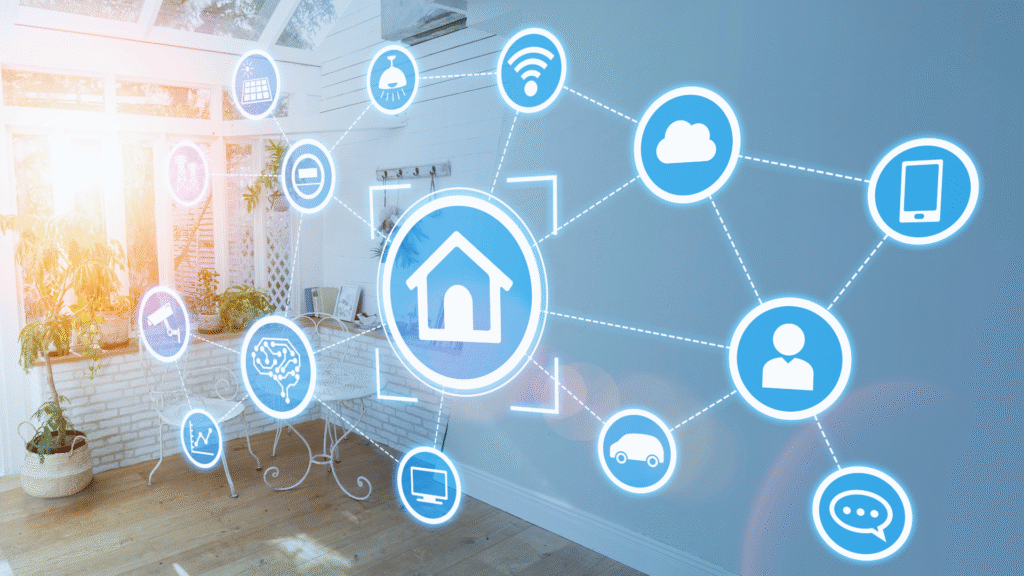
Creating a fully automated home system can transform daily routines and enhance convenience. To achieve this, one must integrate smart devices, establish a central control hub, and customize automation settings for various tasks. The right combination of technology can streamline everything from lighting and temperature control to security and entertainment systems.
Home automation offers benefits such as energy savings, improved security, and comfort. With countless devices available, individuals can choose solutions tailored to their specific needs. These solutions can often be integrated seamlessly for a cohesive experience.
As technology continues to evolve, the options for home automation expand. Understanding how to connect and manage these systems empowers homeowners to create a personalized smart living environment. This blog will explore the essential steps to implement automation effectively.
Understanding Fully Automated Home Systems
A fully automated home system integrates various smart devices and technologies to enhance convenience, security, and efficiency. This section will detail the concept of automated homes, their key components, and how they improve daily living.
What Is a Fully Automated Home?
A fully automated home, often referred to as a smart home, utilizes connected devices to streamline everyday tasks. These homes incorporate Internet of Things (IoT) technology, allowing appliances, lighting, security systems, and other functionalities to operate in harmony.
For example, a homeowner can control lighting and temperature remotely via a smartphone app. This level of integration can be customized to meet individual preferences and needs.
Key Components: Devices and Technologies
Several key components drive the effectiveness of home automation systems. Smart devices often include:
- Smart thermostats: Adjust heating and cooling based on usage patterns.
- Smart lighting: Automates brightness levels and colors based on time of day.
- Security cameras and systems: Offer real-time monitoring and alerts to ensure safety.
Microcontrollers serve as the brains behind these smart home systems, managing communication between devices. When a new build incorporates these technologies, it becomes significantly easier to achieve seamless automation.
How Automation Enhances Daily Living
Automation greatly enhances daily living by providing efficiency and convenience. Smart devices can be programmed to perform tasks automatically, such as adjusting the thermostat or locking doors at night.
Additionally, connected devices can communicate with one another. This interoperability allows for customized routines that simplify life. For instance, a morning routine might involve the coffee maker starting, the lights gradually brightening, and the thermostat adjusting the temperature—all triggered by a single command.
Through automation, homeowners can save energy, improve security, and enjoy a flexible living environment tailored to their lifestyle.
Planning Your Fully Automated Home
Creating a fully automated home begins with a clear plan that outlines goals, product selections, and security measures. Understanding these aspects will lead to a seamless integration of technology into daily life.
Identifying Your Goals and Needs
The first step in planning a fully automated home is identifying specific goals and needs. Homeowners should ask themselves what tasks they want to automate. Common goals include enhancing security, improving energy efficiency, or increasing convenience.
Creating a list of prioritized needs helps in selecting suitable systems. For example, someone may prioritize smart lighting and climate control over entertainment systems. Consider factors like family size, lifestyle, and existing devices that could integrate with new technology.
Climate control should also be assessed as part of the wider automation plan, especially when smart thermostats are being added to an existing heating or cooling system. A provider such as All Around Heating & Cooling HVAC can help homeowners understand whether their current HVAC setup is suitable for the controls they want to introduce. Checking compatibility early can reduce the risk of choosing smart devices that do not work properly with the existing system.
Choosing the Right Smart Home Platforms
Selecting the right smart home platform is crucial for successful automation. Homeowners can choose from several options, such as Google Home, Amazon Alexa, or specialized systems like Control4.
Each platform has its unique features, voice assistant compatibility, and supported devices. Researching and understanding what devices work well with each platform can simplify the setup.
Platforms can support various communication protocols like Zigbee, Z-Wave, and Matter. Knowing the compatibility of devices will prevent potential headaches later on.
Ensuring Compatibility and Scalability
Compatibility between devices and platforms is essential for a smooth automation experience. It’s vital to select products that work together seamlessly. This can be achieved by focusing on devices that support common standards, such as Zigbee or Z-Wave.
Scalability is another consideration. Opt for systems that allow adding or removing devices without significant reconfiguration. This adaptability ensures the home can evolve as technology advances or needs change.
Regular updates from manufacturers also play a role in maintaining compatibility. Homeowners should consider brands that actively support firmware updates and user feedback.
Designing a Secure Automation System
Security is a paramount concern in creating a fully automated home. Homeowners should implement robust security measures to protect their devices and personal data. This includes using strong, unique passwords and enabling two-factor authentication for accounts.
Incorporating a dedicated security system adds an additional layer of protection. Many security systems can integrate with smart home setups, providing alerts and remote access.
Physical security measures, like smart locks and monitored cameras, should also be part of the plan. Regularly reviewing device permissions and ensuring only necessary devices are connected is prudent for safeguarding privacy.
Recognising Where Technology Has Limits
Smart technology can make everyday routines easier, but it cannot replace every form of practical or personal support. In households where an older person or someone with additional day-to-day needs wants to remain independent, automation may work best alongside appropriate Home care services. Combining useful technology with human support can help households plan around individual routines rather than expecting connected devices to meet every need.
Integrating Smart Devices and Automation Features
Smart home integration involves connecting various automated devices to optimize convenience, security, and energy management. This section covers the critical aspects of integrating smart lighting, security systems, and voice assistants for a seamless experience.
Smart Lighting and Environmental Controls
Smart lighting systems, such as Philips Hue, allow users to control brightness and color remotely. They can be programmed for schedules, adapting to daily routines and moods.
Smart thermostats are essential for energy efficiency. Models like the Nest Learning Thermostat learn user preferences and adjust temperatures automatically.
Many homeowners find that older heating and cooling systems do not work well with these new smart thermostats. A professional technician can check the wiring to make sure the system is compatible.
If the system is old, it might be time to look into a local service like Mason heating and air conditioning to update the setup. They can install the correct controls and make sure the unit runs at peak efficiency. This helps prevent unexpected breakdowns during extreme weather.
Many homeowners choose to replace their old central systems with zoned heating and cooling options. Installing 3 Zone DIY Mini Split Systems allows people to control the temperature in three different rooms independently. Each indoor unit connects to a single outdoor condenser. These systems are easy to set up without professional help and work well with smart thermostats. This setup helps save energy because users only heat or cool the rooms they actually use.
Incorporating humidity sensors can enhance comfort by automatically adjusting HVAC systems. This integration maximizes energy usage while maintaining a pleasant environment.
Automated Home Security and Monitoring
Smart home security systems include security cameras, smart locks, and alarm systems. Outdoor security cameras provide vigilance for home exteriors, sending alerts for any unusual activity.
Smart locks offer keyless access and remote control. Homeowners can grant temporary access to guests or service personnel easily.
Remote monitoring apps allow users to check security feeds anywhere. Home security integrates tightly with environmental controls for enhanced safety.
Voice Assistants and Mobile App Integration
Voice assistants like Amazon Alexa and Google Assistant serve as command centers for smart devices. They can adjust lighting, thermostats, and security systems using voice commands.
Mobile apps provide a central hub for managing smart devices. Users can receive notifications, control devices remotely, and set automation routines.
Smart speakers can also enhance overall home entertainment. They provide integration with various streaming services, offering a complete smart home experience.
This interconnected approach to smart devices meets the demands of modern living, promoting efficiency and convenience.
Maintaining and Troubleshooting Your Home Automation System
Regular maintenance and effective troubleshooting are crucial for ensuring a reliable home automation system. Implementing routine checks and knowing how to recover from issues can enhance performance and longevity.
Routine Maintenance and Security Updates
Routine maintenance includes regular updates for software and firmware to protect against vulnerabilities. Many home automation systems depend on wireless communication, making them susceptible to cyber threats.
Schedule updates monthly to ensure devices operate on the latest software versions. Users should also check the security settings of their home appliances to prevent unauthorized access.
Establish a checklist for maintenance tasks:
- Update firmware: Check for updates from the manufacturer regularly.
- Test devices: Verify that all smart devices are responding correctly.
- Inspect relays: Ensure relays used in automation are functioning without interruption.
Factory Reset and System Recovery
Factory resets provide a way to troubleshoot persistent issues. If devices are unresponsive or fail to connect, initiating a factory reset can restore functionality.
The process typically involves holding down a button or accessing settings through an app. Once reset, users will need to reconfigure their devices, which includes reconnecting to the electricity supply if applicable.
Clients should document their device settings before a reset, as this accelerates recovery. They can follow these basic steps:
- Backup settings: Use the app to save configurations.
- Perform reset: Follow the manufacturer’s instructions.
- Reconfigure devices: Restore settings after the reset.
Upgrading and Expanding Automation Features
Upgrading systems can enhance functionality and accommodate additional devices. Start by evaluating current appliances and determining compatibility with new smart features.
Users may want to add sensors, cameras, or smart outlets. Ensuring that the home’s Wi-Fi network can handle increased traffic is vital for performance.
Consider these points before expanding:
- Device compatibility: Check if new devices integrate with the existing system.
- Wireless range: Assess if signal strength covers the entire home.
- Power supply: Verify the electricity supply supports the new appliances without overloading circuits.
Following these guidelines helps maintain a robust home automation ecosystem while minimizing disruptions.