
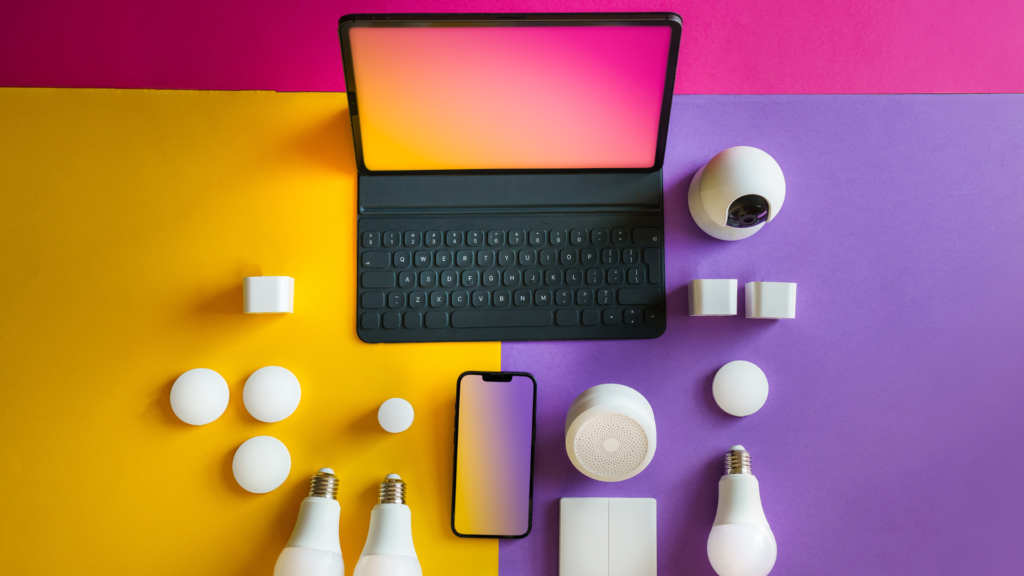
Setting up a smart home can seem daunting, but it offers convenience and efficiency that can greatly enhance daily living. Choosing the right devices that are compatible with each other is essential for a seamless smart home experience. With careful planning, anyone can transform their living space into an integrated environment that responds to their needs.
Key considerations include selecting a central hub that can control various devices, prioritizing security features, and ensuring easy access to technology. It’s also beneficial to integrate smart devices that serve practical purposes, such as enhancing lighting, climate control, and security.
Exploring the various options available can lead to a customized smart home that reflects personal preferences and lifestyle. With effective tips and strategies, creating a connected home becomes a straightforward process that anyone can tackle.
Understanding Smart Home Basics
Smart homes utilize technology to enable automated control of various household functions. This allows for improved convenience, energy efficiency, and security. Key concepts include defining what constitutes a smart home and identifying its core components.
Defining a Smart Home
A smart home is a residence equipped with devices that automate tasks and communicate with one another through a smart home network. This network can be established via Wi-Fi, Zigbee, Z-Wave, or other protocols to ensure seamless connectivity.
Smart home technology encompasses various devices, such as smart lighting, thermostats, security cameras, and appliances. These devices can be controlled remotely through smartphones or voice assistants, providing users with enhanced control over their living environments. The primary objectives of a smart home are to improve comfort, security, and energy management.
Core Components of a Smart Home System
The core components of a smart home system include smart devices, a central hub, and a secure home network. Smart devices perform specific tasks, such as smart locks securing doors or smart speakers playing music.
A central hub connects different devices and allows them to communicate with one another. This hub may integrate with existing smart home systems to enhance functionality. A secure home network is crucial, as it ensures data privacy and device protection from potential cyber threats.
Choosing the right combination of devices and systems can significantly enhance the smart home experience, making everyday life more efficient and enjoyable.
Setting Up Your Smart Home
Establishing a smart home requires careful consideration of key components, including a central hub, a strong Wi-Fi connection, and network security. These elements ensure optimal performance and a seamless user experience.
Choosing a Central Hub or Ecosystem
Selecting the right central hub is crucial for integrating various smart devices. Popular options include the SmartThings Hub, Apple HomeKit, and Amazon Alexa. Each ecosystem has strengths; for instance, Apple offers robust privacy features, while Google Assistant excels in voice commands.
When choosing, consider compatibility with existing devices. A cohesive ecosystem streamlines management and automation. Users should also assess the ease of use, as some hubs offer better interfaces or mobile apps. Ultimately, the right choice enhances connectivity and simplifies home automation tasks. To ensure devices are installed correctly and safely, it may be worthwhile to consult professionals experienced in electrician services West Chicagoland, IL or experts closer to you. They can help with wiring, integration, and ensuring all components meet local codes and performance standards.
Establishing a Reliable Wi-Fi Connection
A dependable Wi-Fi connection is fundamental for the functionality of a smart home. To achieve this, position the router centrally for even coverage throughout the house. Using dual-band routers can help boost signal strength and speed.
For larger homes, Wi-Fi extenders or mesh networks are advisable. These setups minimize dead zones and ensure all devices remain connected. Monitoring network performance can identify bottlenecks, facilitating necessary adjustments. A strong Wi-Fi backbone supports consistent communication between devices like smart lights, thermostats, and security cameras.
Securing Your Smart Home Network
Privacy and security are paramount in a smart home setup. First, change default passwords on all devices to unique, strong alternatives. Enabling two-factor authentication adds an extra layer of protection.
Segmenting the network can enhance security; consider creating a guest network for IoT devices that separates them from personal devices like computers and smartphones. Regularly updating firmware across devices keeps them secure against vulnerabilities. Implementing these practices helps mitigate risks associated with a connected lifestyle.
Integrating Smart Devices for Full Home Automation
Achieving complete home automation involves strategically setting up primary devices while expanding with additional gadgets. This integration enhances convenience, energy efficiency, and accessibility. For instance, many homeowners who are looking to start out with some smart home changes will look at heating and cooling technology. Whilst this is a gamechanger, it doesn’t mean that homeowners should neglect maintenance as the smart home is going off what the unit is doing, and the unit could be leaking energy. Booking in a Hot Springs AR AC repair service will show what is wrong and how it can be fixed so people can go back to smart energy efficient homes.
Setting Up Primary Automation Devices
Primary automation devices serve as the backbone of a smart home setup. Smart speakers enable voice control, allowing the user to manage connected devices seamlessly. Installing smart thermostats can optimize energy consumption and reduce monthly bills through temperature adjustments that align with the household schedule.
Managing your home climate goes beyond installing a smart thermostat on the wall. The heating and cooling equipment itself must run efficiently to keep your utility bills low. Homeowners on the Massachusetts coast often rely on local experts to keep their systems in top shape. Working with an established provider like Falmouth Energy helps make sure your boiler or furnace is ready for seasonal changes. Regular maintenance on these systems prevents unexpected breakdowns during cold winter months.
Incorporating smart locks provides enhanced security, allowing remote access and monitoring. Users can manage entry points through mobile apps, offering peace of mind. Another important aspect is smart lighting; utilizing smart bulbs can automate lighting schedules and create mood settings, all adjustable through voice commands or apps. To ensure proper installation and integration of these systems, consider working with a handyman in Coralville or a trusted local professional who specializes in smart home upgrades.
Expanding Your System with Secondary Gadgets
Once the primary devices are in place, integrating secondary gadgets further enhances home automation. Smart light bulbs can complement existing lighting systems, allowing for more granular control over ambiance. Additionally, robot vacuums can be programmed through apps for scheduled cleanings, integrating smoothly with smart speakers for hands-free operation.
A comprehensive smart security system adds another layer of protection by combining cameras, motion sensors, and alarms. These systems not only increase safety but can also be interconnected with other devices, adjusting lighting and alerts based on detected activity.
By thoughtfully adding secondary devices, homeowners can create a cohesive and efficient smart home ecosystem. This approach maximizes utility and reduces energy consumption, making home automation both practical and cost-effective.
Maintaining and Troubleshooting Your Smart Home
To ensure a smart home operates effectively, regular maintenance and troubleshooting are essential. Keeping devices updated and diagnosing common problems can enhance performance and security. Below are key areas to focus on for optimal operation of smart home technology.
Regular Firmware Updates and Security Checks
Performing regular firmware updates is crucial for functionality and security. Manufacturers often release these updates to improve device performance and resolve vulnerabilities. Users should check for firmware updates weekly or monthly.
Steps to Update Firmware:
- Open the smart device app.
- Navigate to settings or device management.
- Select the option to check for updates.
In addition, security checks should be conducted regularly. Ensure that security cameras and smart doorbells have the latest firmware. Setting strong passwords and enabling two-factor authentication further enhances the security of these devices.
Diagnosing Common Issues
Smart home devices may encounter various issues. Some common problems include connectivity loss, device lag, or failure to respond to commands.
Troubleshooting Steps:
- Restart the device.
- Check Wi-Fi connectivity.
- Ensure that the device is within range of the router.
For smart switches and motion sensors, configuration errors can also occur. Resetting these devices as per manufacturer instructions can often resolve problems.
Monitoring device performance through the corresponding apps helps identify any malfunctions before they become significant issues.
Optimizing Performance and Energy Usage
Improving energy efficiency in a smart home begins with monitoring energy usage. Many smart devices offer built-in energy reports. These reports allow homeowners to track consumption patterns and adjust settings accordingly.
Tips for Optimization:
- Schedule devices to operate during off-peak hours.
- Use smart plugs to control multiple devices from a single point.
- Regularly check settings on smart security cameras to ensure they are set for optimal performance.
Reducing energy bills not only saves money but also decreases environmental impact. Users can adjust sensitivities on smart security cameras or set motion sensors to activate during specific times.