
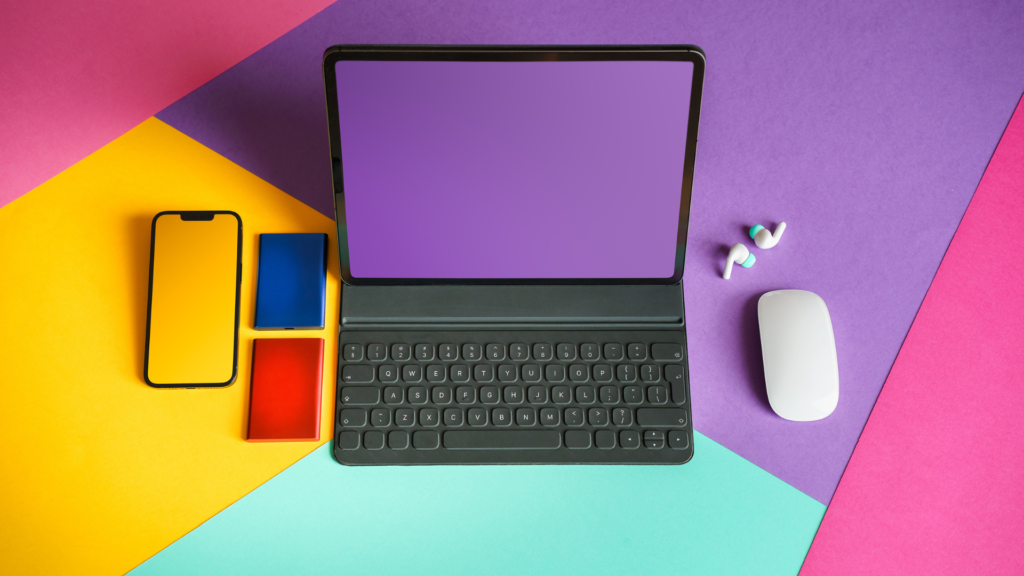
Tablet vs Laptop: Which Device Best Suits Your Needs?
The choice between a tablet and a laptop comes down to individual needs and usage scenarios. For many users, a laptop offers greater versatility and power, while a tablet provides unmatched portability and ease of use. Understanding the distinct advantages of each device can help users make an informed decision tailored to their lifestyle.
Tablets are ideal for casual browsing, media consumption, and light productivity tasks on the go. In contrast, laptops are better suited for demanding applications, extensive multitasking, and professional work environments. Evaluating the primary tasks users intend to perform will clarify the best option for their requirements.
As technology continues to evolve, the lines between tablets and laptops blur, offering hybrid models that incorporate features of both. Recognizing the specific advantages and limitations of each can guide users toward the most suitable choice for their unique needs.
Design and Form Factor
The design and form factor of tablets and laptops significantly impact usability and portability. Understanding the differences can help users choose the right device for their needs, balancing aesthetics with functionality.
Tablet Design
Tablets typically boast a sleek and lightweight design, which enhances portability. The Apple iPad Pro exemplifies this with its thin profile and minimalistic aesthetic. Tablets generally feature a touchscreen interface that allows for intuitive navigation via taps and swipes.
Many tablets are built with a rectangular shape that maximizes screen space while remaining easy to hold. Battery life is another crucial consideration; tablets often provide several hours of usage, making them suitable for travel. Accessories like keyboard attachments can improve functionality but may add bulk.
Laptop Design
Laptops come in various designs, with a common focus on a compact form factor that houses a full keyboard and larger screen. Unlike tablets, laptops often have more robust construction, which can enhance durability. Microsoft Surface Pro models blur lines with their 2-in-1 designs, offering both laptop and tablet capabilities.
Most laptops feature a clamshell design, allowing for efficient use on a desk or lap. Despite being bulkier, advancements in technology have led to lighter models without compromising performance. Battery life varies widely across laptops, with some catering to heavy users and others to casual tasks.
Hybrid Devices
Hybrid devices merge features of both tablets and laptops, allowing for a versatile user experience. These devices typically have detachable or foldable keyboards, making them suitable for different environments. For instance, the Microsoft Surface Pro can function as both a tablet when detached and a laptop when connected.
The form factor of hybrid devices can vary, but they generally aim for thinness and flexibility. They are designed to accommodate touch input and traditional keyboard usage, catering to diverse preferences. Battery life in hybrid devices usually aligns with laptops, offering a balance between productivity and mobility.
Functionality and Performance
Functionality and performance differ significantly between tablets and laptops, impacting user experience and task efficiency. Key factors include operating systems, processing power, and multitasking capabilities.
Operating System Choices
Laptops typically run full-fledged operating systems like Windows, macOS, or Chrome OS. These systems support a wide array of software applications essential for productivity and intensive tasks such as video editing or graphic design.
Tablets, on the other hand, often operate on mobile systems like iOS, iPadOS, or Android. While these systems have made strides in terms of functionality, they may lack compatibility with professional-grade software. For those who require advanced capabilities, the operating system plays a crucial role in determining overall performance.
Computing Power
When it comes to computing power, laptops generally outweigh tablets due to more powerful processors and greater RAM capacities. Many laptops come equipped with high-performance CPU options, allowing them to handle demanding applications and multitasking seamlessly.
Tablets often feature ARM-based processors, which are effective for basic tasks but may struggle under intensive workloads. While newer models are improving in this aspect, they still typically fall short when compared to their laptop counterparts. Power users often lean toward laptops for tasks requiring significant processing power.
Gaming and Entertainment
For gaming and entertainment, laptops are typically more capable. Gaming laptops offer dedicated graphics cards and higher processing power, ensuring smooth gameplay for resource-intensive titles. They support a wide range of gaming software and peripherals.
Tablets can handle casual gaming and streaming services, but their capabilities are limited. While some high-end tablets feature impressive displays and decent processing power, they cannot match the performance of a gaming laptop. This difference is crucial for gamers seeking an immersive experience.
Multitasking and Productivity
Multitasking is another area where laptops generally excel. Users can run multiple applications side by side, taking advantage of larger screens and more substantial RAM. This is particularly beneficial for tasks requiring constant switching between programs or accessing multiple documents.
Tablets, while improving in multitasking features, still face limitations. Split-screen functionality is available, yet it may not be as effective due to screen size and app limitations. Users focused on productivity tasks may prefer the flexibility and efficiency of laptops, especially for work-related functions that demand more than casual use.
Usability and Ecosystem
Usability and ecosystem considerations play a critical role when choosing between a tablet and a laptop. Key factors include the available accessories, software applications, and the general ease of use for various tasks.
Accessories and Peripherals
Tablets typically support a range of accessories that enhance usability. Common peripherals include styluses, which allow for precise input useful in graphic design and note-taking. External keyboards can also be paired with tablets, providing a more experience similar to that of a laptop for light productivity tasks.
Laptops generally offer a broader compatibility with peripherals. Users can connect larger monitors, docking stations, and professional-grade gear. Features like USB ports provide flexibility for an array of accessories. This advantage can make laptops more suitable for complex tasks requiring multiple connections.
Software and Application Ecosystem
The software ecosystem drastically differs between tablets and laptops. Tablets often rely on mobile operating systems like Android or iOS, offering a vast library of apps that excel in entertainment and light productivity. They are optimized for web browsing and casual use, providing convenience for on-the-go tasks.
Laptops, in contrast, typically run full desktop operating systems like Windows or macOS. This allows for access to professional-grade software such as Adobe Suite for graphic design and more complex applications for content creation. Such software availability may be essential for users needing in-depth functionality and multitasking abilities.
Ease of Use
Ease of use varies between tablets and laptops due to their different interfaces. Tablets with touchscreen capabilities are intuitive for casual browsing, providing quick access to applications and multimedia. They are lightweight and portable, making them ideal for travel and convenience.
Laptops, while often bulkier, offer more robust user interfaces. They are designed for intense and prolonged productivity, featuring physical keyboards that support typing efficiency. Navigation via a trackpad or mouse can enhance multitasking capabilities, especially for users engaged in extensive content creation or business tasks.
Cost and Value Proposition
Cost is a critical factor when choosing between a tablet and a laptop. Understanding affordability, high-end options, and long-term value can guide the decision-making process.
Affordability and Budget Options
Tablets generally come in a wider range of affordable options compared to laptops. Budget tablets can be found starting around $100, making them accessible for occasional media consumption and light tasks. Brands like Fire and Samsung offer functional models without breaking the bank.
Laptops, on the other hand, typically start at a higher price point. Basic models suitable for personal computing usually range from $300 to $500. While laptops provide keyboard functionality and larger screens, entry-level devices might compromise on performance or durability.
High-End Models Comparison
High-end tablets, such as the iPad Pro or Samsung Galaxy Tab S series, often exceed $800, offering premium features like excellent displays and robust performance. They excel in portability and touch capabilities, catering to creative professionals and media enthusiasts.
Conversely, premium laptops like the HP Spectre x360 can range from $1,200 to over $2,000. These machines typically provide superior processing power, extensive storage, and multiple USB ports. Users requiring high performance and versatility for demanding software will find more value in a laptop in this price range.
Long-Term Value
When considering long-term investment, laptops often offer better durability and upgrade options. Many laptops accommodate additional storage and memory for enhanced performance over time. They also support a broader range of productivity software.
Tablets tend to have a shorter lifespan in terms of software support and hardware upgrades. Most budget tablets may become obsolete in three to five years. However, high-end tablets can provide longevity with regular updates and accessories that enhance functionality, such as keyboards and styluses.